















Let's Find You the Perfect Managed Hosting Plan.
Answer a few questions, and we'll present you with a personalized tour of the Cloudways platform based on your answers.

Days
Hrs
Min
Sec
Promo Code:HIGHSPEED

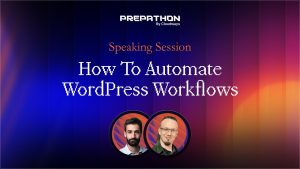
Join our expert panel as they discuss common UI/UX mistakes to avoid for your client websites. Learn the importance of mobile-first design, improving user experience, and ensuring site responsiveness across devices for better usability. Perfect for designers aiming to create user-friendly, modern websites.
hi everyone hi welcome I’m very excited to be back here for the last session of the day it’s one you definitely don’t want to miss so make sure if you were here for the previous session you stick around we are going to cover UI and ux mistakes that you want to avoid on your or your clients’s websites um we have a round table panel today some wonderful brilliant panelists I’m super excited for the conversation um I’m going to start and bring up our first panelist we have Carlin come on up hi hi welcome thank you excited to be here we’re excited to have you I wanted to give you a chance you are the founder and CEO of run Vision but I wanted you to do a little intro on yourself tell us about run Vision a little bit about your background yeah thank you yes so R vision is actually uh well an extension of what Adam just talked about uh what we do is we offer a solution uh to monitor those core web vitals and experiences that that your users have uh in real time so did they have a slow interaction where was it what did happen we can show them that um but also just yeah help you out uh with all the performance issues that you have and make it much easier to troubleshoot and make make sure that your users get the best experience we actually even introduced the term for it sight speed user experience so sucks so uh together with u and UI today I’d like to bring suck to the table I love it um I’m a sight speed fanatic so it’s right up my alley I’m very excited um I want to go ahead and welcome up our next panelist we have Michelle come on up to the stage um Michelle is the director of community at Stellar word WP I guess I’m always trying to pronounce WordPress but WP um and post status as well welcome thank you it’s good to be here thank you I would love for you to give us a little intro on yourself and Stellar WP sure so I’m the director of of community engagement for Stellar WP uh we are a sweet of plugins and themes that work with your WordPress website everything from security to um fundraising to uh gosh we have everything uh learning management system and uh calendaring there so much that we have there including iconic and um orderable which work really well for online ordering for the upcoming Black Friday time so anything that you might need to do with woocommerce we’ve got you covered there too uh amazing I can’t tell you struggling especially with the Learning Management stuff and finding events plugins to have it all together in one amazing so very excited thank you for joining us today um we have one more um panelist as well we have Bogan and he is a co-founder and head of design at Brizzy welcome hello thank you thank you glad to be here and hello everyone and the attendance and the the the other speakers we are so glad to have you um please real quick quick intro yourself um tell everyone about you and Brizzy sure I’m um I’m the co-founder and the head of design mostly guilty for most of the stuff in the in the pipeline product wise website wise and even the templates in our in our website builder at at Breezy so um yeah I I think I’ve I’ve seen it all and done all the mistakes in the in the business during the this I don’t know 15 20 years since I’ve been doing this so yeah with a background in economics mostly but a fan of design and and art and I never uh never did any economics I only did design and Ill illustration so uh yeah I’ve done it all well design is obviously key obviously to user experience um so very excited to have you here today um I have some Stellar questions I want to go ahead and kick off but I want to encourage everyone all of our attendees to ask questions in the chat um we’re going to try if we have time at the end we may or may not have time to answer user questions but I highly recommend hopefully our speakers will get a chance to look through them maybe you can follow them on social if you do not get an answer and they can respond directly um thank you um kicking off talking about mobile first design um or more specifically people have a tendency to neglect it um so mobile usage obviously is continuing to grow and is the the primary um yet some clients still Focus very closely to desktop and they don’t pay attention to mobile um how would you persuade them essentially to switch their approach and also do that without compromising the desktop experience who wants to take it away that’s a good question I’ll go ahead and jump in but I’m I’m going to guess that bden has a lot of ideas for this because of the design um necessity for it I once had a customer who insisted that his site look exactly on mobile as it does on a desktop so no mobile anything and I had to convince him that he was wrong in a kind way because I still wanted him to pay me at the end of the day um and so I told him I would really like you to sit with this and think about it look at it again on your mobile site he talked to a friend who said are you crazy of course you want it to look like it’s supposed to on a mobile device um and that friend was able to convince them because number one the Aesthetics were better and number two people want to be shopping and using their mobile phones almost more than they do their um their desktops now and so to neglect that is to neglect customers and also Revenue but I’m gonna let Bon jump a little more into what that design looks like cuz that’s his area of expertise I sure can do it I didn’t want to jump first before the ladies so I just wanted to somebody to take the the lead but actually that that’s a great question because um if you look at the statistics it’s getting way ahead in in mobile usage and visitors on mobile than on desktop desktop is of course a great a great viewport we all need a an awesome looking website for the times when we on a laptop maybe at a desktop I don’t know but most people start to look on the on their mobile device and if stuff doesn’t look right you don’t need to be a designer to know that that’s a weird website and you should not trust that company that has a website on their mobile that looks like 20 years ago so basically do something with it use all the tools that you need these are super easy to use right now with all this uh these viewports optimizations from from desktop to mobile to to Mo to tablet and just simplify the things that uh that look messy make the fonts bigger create some some space the spacing in in in Mobile it’s very very important let the the content breed have good enough spacing from the margins if if text reaches the margin you’ve done it wrong I I say it again it’s it’s too close to the ages and then your website will look crappy even though it isn’t maybe it’s the the best loading website in the world if the text is too close on mobile it’s looking weird that’s just a quick uh quick one I don’t want to delve to too deep into this but it’s very important the mobile first and just if you need to to persuade somebody just tell them these are the statistics look at this I don’t I don’t have them at hand right now but it’s easy to find and it’s it’s overwhelming whelmingly mobile and imation should be should be faster so I think carlen will tell us about site optimization for mobile which is not an easy task no no it’s more of a challenge but actually what I also wanted to say if we are talking bobile first what we very much see is because we are we actually do have the statistics as a ROM um mobile first are you very often the users that are browsing your site for the first time they are the ones that come in for through Google shopping for instance um um because if I’m just on my couch I’m the one browsing and then I maybe want to buy something but if I can’t browse on my couch because the site is poor or the experience is poor uh or I can’t read it then why would I even consider buying stuff um if I know a brand and I know it then I might buy from it from desktop but especially to those users for the first time that can become your uh loyal cents it’s so important to have a good mobile first website with a good design as well as a good side speed experience um so yeah there are many reasons why you would want to adopt a mobile first design for that yeah absolutely I could not agree more with all your points also the SE o and me wants to point out that Google’s algorithm also takes your mobile experience into consideration for ranking purposes so if you rely on organic traffic mobile is crucial oddly enough I work for one company who primarily still gets desktop traffic we’re like an anomaly um but historically with a lot of companies we’re pretty much seeing like what 80% in up um Mobile versus desktop fantastic um I’d be curious have you ever encountered any situations where a mobile first design improved user engagement um what were the factors that made a difference yeah we’ve seen we’ve seen this quite a lot because uh um it’s it’s sometimes it’s much easier to just scroll a bit and and find find the info and also if you know how to do it for I don’t know mobile numbers phone numbers especially it’s just a link it’s not it’s not complicated it’s much quicker to just phone it in make a reservation call somebody on the on the support or stuff like that it just brings a bit a bit uh more more quicker some information and some some stuff and the amount of power that these phones have right now is just Flawless they they scroll perfectly it was a time where we were advised not to use like videos in the background on mobile websites or or stuff that complicated the the the mobile experience and it drained battery but this days the the phones are are super super quick but of course you shouldn’t overdo it just don’t don’t put all the all the videos and the and the animations and I don’t know animated icons or stuff like that that that just too too wasteful for for the cycles and your optimization score will be bad yeah yeah you kind of saw it coming on my end I think uh raise the hand and say just hold on all the never just make sure that you do know your audience because if you’re in a country where people actually H not have the latest uh iPhone or have uh very bad internet but especially uh people don’t often notice but if you have an older phone well kind of what ban is saying then the experience on site will be worse because while phones do improve um the JavaScript and the heavy uh videos get embedded actually multiply as well so uh to to come back to the last talk which talked about interaction to next paint uh so the responsiveness of your sze what we very often see is that um if though if we have a lot of animations if we have lot of videos lot of ab test and eat maps and everything your mobile phone well your mobile phone might be able to handle that but my mobile phone might not um and it’s important to remember that I might buy from youth as well so you want a good experience for all yeah I I completely agree and I don’t want to go to too much on this but I have a personal experience when we’ve made a website very beautiful for a client that’s dear to us and we wanted to make it so so cool that we overd did it we use some some crazy effects like CSS with SVG filters which is something that’s taxing and I don’t know it worked on our on our laptops and phones but when the client using like a 10 fiveyear old laptop let’s say which is still decent it just broken down their their their computer in into flames because it was so so hot and they say the site is looking great but I think this website just killed my my CPU and and we had to dial it down and and said maybe find a way to make it less beautiful but way more performance ready so yeah just just find find a way don’t overdo it yeah and know your audience uh that’s so important as well uh I mean if everyone you can actually get that info or at least you can get it from a rum uh what what kind of device do your uh audience have and if they all have eight uh RAM or more uh then you can get away with so much more uh then if there are lower end phones is your general population but the other thing about remembering your audience is which device are they’re more likely to use for that scenario also so for example I’ve built several websites for restaurants and more people are looking for restaurants on their phone because they’re in their car where do they want to stop to eat and those kinds of things so if you haven’t designed for mobile they’re going to move on to the next restaurant that they can find information on for sure so that I think there’s a lot that goes into thinking about your audience before you design anything including their devices but also your audience for that particular um for that particular site for sure yeah but also don’t completely forget about desktop uh why not both I say H mobile first let’s say it’s mobile and desktop equally because they can be equally pretty and equally be actionable but don’t forget about mobile is uh so so important 100% um so shifting over topic wise um this is probably one of those things that’s very complex and is definitely a point of contention I think across a lot of people depending on their area specialty so I’m curious your thoughts on navigational menus um especially complex or cluttered um what strategies do you recommend for simple Ying um is there a point where it’s too much but at the same time simplify without sacrificing functionality this is why I say the customer isn’t always right so whoever is the site owner doesn’t necessarily know what’s best for them um I built a mega menu years ago that had an icon of their logo next to every single drop down on that Mega menu Not only was it slow I mean I had to conin I had to show them why it didn’t work before I could strip it down and put it back to normal um but it was it was slow it was hard to use the the mega menu feature like if you shifted your mouse even a tiny little bit you were no longer on that it wasn’t great for mobile and so some of those navigation systems they look beautiful on your site but they are just a nightmare for actual use yes absolutely um curious um who has suggestions for like what are Best Practices regarding um navigation menus today I think the the simpler you keep it but I’m not against Mega menus Mega Menus can can work very very well but also not overdo it I think this is a this is a theme of of the discussion today not not overdo it because some Mega menus tend to be overwhelming and you don’t actually know where to look into that Mega menu and it’s just column and Colum and icons and animations and stuff in that just keep it simple in three rows tops maybe two I don’t know or columns whatever but what I suggest and this is also um a mistake that I’ve personally did was combining a regular menu on the desktop let’s talk just about the desktop a regular menu that was a horizontal menu of items let’s say like five or six items and then I was thinking of being maybe fanciful and just add a a hamburger menu also in the desktop that should open up a sidebar and do something fancy and stuff like that and people never understood what they are supposed to click is it the top menu which is item simple or click the mega menu or not the mega the hamburger menu which slided something from the from the sidebar and it was just a mess and people told us oh we don’t know what to do here and yeah since we removed the that hamburger menu on the desktop it it was much better of course on the mobile experience on the mobile device the hamburger still is is the best way to do it even I’m even if I’m not the biggest fan of it it’s just a simple way to to display some list of items and it works it works better so keep it simple use Mega menus only if you need to and if you have a lot of content that you you need people to find so yeah but don’t don’t combine two two two different types of menus I mean horizontal one and a mega menu inside the [Laughter] desktop that would be incredibly confusing I’ve also talked to people before about the fact that you need to remember what your call to action is so if you are a sales if you’re try trying to sell something then your navigation is probably going to look much different than a church for example or a nonprofit that’s trying to you know do better in their part of the world and so I think of I’ve often have said amazon.com is one of the ugliest websites ever but it’s incredibly functional I know exactly what to do when I land there there is a there is a menu of navigation the search function works really well so that’s those are the kinds of things to keep in mind like it doesn’t have to be beautiful it has to be functional and sometimes you can do both absolutely um and sometimes you you might sacrifice one in favor of the other if it means that your bottom line goes up so I I just remember what your call to action is never put the about before the sales also a good search I find that such a good tip yeah just let me search it yes I know what I want yeah yeah depends depends on the website of course but yeah we we um we tried different uh different button buttons in the in the navigation uh like more different buttons like the pricing for the for our pricing or contact sales and what we’ve seen is that yeah this work if if you have a line of items regular items like I don’t know product Solutions about blah blah blah and then you have at the end of the menu a different type of button not the same sty fing as the other item links something like contact sales that made a big difference in versus not having it as a button you know like something really clickable more clickable than a menu item let’s say you know if you have something like that that you really need people to to click on that I don’t know make a reservation for example for a restaurant like um Michelle said if there’s something a CTA very important start free trial or something put it out put it outside of that uh single line of of items that are usually just text put it into a button even though it’s still a navigation some somehow but it it works much much better for us it did like I don’t know three times the leads that we got of the same button that said contact sales regularly versus a button really great call out thank you um so this is um user experience one1 let’s talk about popups and ads um so popups ads they’re often very disruptive um how do you determine the right balance between monetization and user experience who wants to take that yeah well I I I consider popups and ads to different things um so a popup I generally find that uh um they pop they pop up to uh ask me hey do you want to subscribe to my newsletter or hey I have a 10 year discount if you do something now um and um from from a user perspective so this is this is personal um I never understand why they come up at the first moment I uh enter a website where I’m not in that Journey at all um uh so that actually would be my first tip and actually it’s a s speed tip as well because the less things that have to happen and when I first enter uh the better it is for performance but the better it is for use experience as well especially in the knowledge that you also get that cookie pop up and maybe they want to send me uh I don’t know my location and stuff and sometimes before I even enter a website I’m done so that’s the first tip with popups just please be mindful of the of the customer Journey uh because maybe when I start to scroll up again that might be a moment to give me a popup say Hey you were maybe wondering to buy that do you want to subscribe to my newsletter or do you maybe want to have that discount and that might make me buy something um from a ads perspective and actually just to dial back on that one a bit um those popups are bad for side speeds performance as well because they tend to be from third parties and uh you don’t want them on your main threat in the beginning at all um but then the ads that’s a different matter completely because you actually do tend to want those ads quite early if you’re monetization uh site so the impact there is much more uh valuable uh to actually uh make sure that at least you reserve room for them so when people start to read uh and this is why that’s a core vital when people start to read and suddenly something shifts and you can’t read anymore or even words you start the clicker button uh and then that button didn’t uh uh yeah get you to read more but it actually entered a video pop up from a car ask me why that I have that very specific example um so uh those are things that you want to keep an eye on in your design that if you have those ads reserve room for them uh that’s quite easy to do um it prevents layout shifting which both help your core web vitals but your users as well um and yeah that that’s my main tip and then make sure that actually Those ads do come in later than your main uh image for instance that’s much more important because that will’ll make sure that your user stays around as well I recently visited a site and we’re getting into the Black Friday Cyber Monday and the holiday season so we’re going to see more and more of these kinds of popups saying hey give me your email address and I’ll send you a code for 20% off and those kinds of things um I recently was on a site as soon as you landed there there was this wheel to spin to what would your percentage discount be and you know once you got that percentage discount you would put your email in and they would send it all of these all this rigoll but in fine print underneath it said the wheel is actually nothing we’ll you’ll get the best percentage discount off no matter what and I was like then why are you wasting my time and my bandwidth and everything else um and if I spin the wheel and I get 10% and it’s right next to 90% now I’m leaving because I’m mad I didn’t get the other 80% that somebody else might have gotten so you have to be really careful of the optics for sure when you land on a site the first thing it says is you know we’ll send you a discount code if you give me your email address I don’t even know what your products are yet because I haven’t had a chance to look I don’t want to give you access to my email account which already is overwhelmed on a daily basis so the the popups that annoy me the least are when I move my mouse outside of frame and they’re like oh before you go you know we’ll send you a discount kind of thing and I I think those are are better I usually it’s though like well I didn’t mean to stray out of it I’m not leaving don’t I’m not going anywhere stop for a second but but those are L less intrusive than first landing on a site it’s like when you arrive at somebody’s house they open the door before you could even take off your jacket they’re handing you you know a cup of coffee or something you’re like at least let me get my coat off you don’t even know if I like cream and sugar in it yet right so it’s that kind of an experience that’s very off-putting I wasn’t joking what I said I did all the mistakes because actually Michelle we had that we had that wheel on our website for a Christmas special so was take it down take it off how long ago B down how long ago five seven years ago I don’t know nothing personal it was a long time ago yeah it was a fun thing to do that’s all right we can test everything yeah but but I’m not a fan of popups and certainly not ads and I I won’t touch ads because frankly I don’t think content managers and website developers can can do anything about that it’s just the money flowing in they want the top rank they want the second rank you cannot do anything about it it’s it’s just impossible I will not touch it but popups don’t push a popup in the first couple of seconds of the website just just don’t don’t not cookie not not anything people don’t want to see that freaking popups all over the website with three or four of them in the same time without even knowing where they land they don’t know is this the website what is this and five five popups come up one for cookies one for signing up one for a discount and one for I don’t know what else just don’t do it if you want a cookie do it maybe at the bottom there are certainly lots of of um of um plugins that that maybe just bring up an alert bar below or um like a footer raised up with where it says accept the cookies or something it’s better because you can see 90% of the page that way with a popup and something that face the background is just nothing for there so don’t use it in the first couple of seconds sometimes it’s much better to do it like um some of these websites of um e-commerce sites have this uh small thing at the bottom this product have has been seen by 49 people or seven people are looking into this product stuff like that you can do stuff like that with popups and just ask for the email there or do something on the on the corner or maybe because people look into that and see stuff like that and it attracts their attention more than something that bothers them directly full Central maybe if it’s something on the side and they just take a pick oh it’s something interesting maybe I get $5 $10 in discount if I get a newslet letter I see it there I don’t close it because it doesn’t bother me I know about it and if I want to buy something I’ll certainly click on that and get the $5 if you push the popup first and he doesn’t get the chance to read it and he closes and closes the website and just leaves you’re done so don’t don’t push don’t overdo it actually don’t mind I don’t mind a narrow Banner ad across the top when you’re running a special or a deal or asking for email I think is less intrusive it’s not popping up it’s just sitting at the top of your site and if you do it well it will entice people to um to that call to action yeah agree covering the whole screen is awful and not being able to touch the X and close it on mobile is like oh where is the X yeah it’s better so can I just give a quick tip that if we if we have to have a layout shifts it’s like 80% of the time the new layout shifts happen it’s from from that top Banner so just be mindful of that one yeah good call out yeah I did just a second because Madan was asking about being obligated to display the gdpr cookies and stuff like that of course you are but you can do it in a much Sol solid way from the from below or like a small pop up on the side you don’t need to do that that stuff right in front just pop it out do something more subtle and it it will work wonders for your for visitors and I’m also not a fan of this gdpr stuff so I’m I’m sorry I’m I’m a very big fan of gdpr stuff I like my privacy I I agree with the privacy but with with the stuff that every every every website should display it right now and in front of us and just you know what this did this did blindness nobody reads it anymore just we just press accept accept we don’t know anything about what what’s in there you know I do like that you actually by default can click decline these days I do like that website owners might like it less but in in Europe it’s now mandatory that you actually H have to have the decline button right uh at the start so that helps my set so if someone exes or they don’t actually click accept it’s automatically considered a decline and we don’t track the data which as a marketer makes me really CU I’m missing a lot of data but from a privacy standpoint I I think it’s the correct way to go absolutely is the correct way to go but it it if you look at that it’s just blindness to whatever button there is that people don’t care anymore just accept accept get out of my way as quick as possible just nobody cares they just want to see the content and then feel the yeah the the the way the website deals with the the cookies and sometimes declining is against them because you don’t get your your preferences like your language depends on website maybe it has some some language stuff or um personalization if you decline everything and not even the the cookies that set preferences you always need to to uh select the same preferences from from the user experience from the website experience that’s a good call out my other pet peeve would be when it has the offer and it’s like put in your email and then you think that’s all they’re going to ask for and then they require your phone number and I’m like okay you’re you’re crossing the line I will I’m fine with my email phone number is just too much so be upfront about what you’re going to require in order to get the discount please I appreciate it um moving on over um we’re still kind of wanted to talk about about like alternatives to popups what would you recommend anything that you found effective um especially to capture user attention without impacting negatively the user experience I know that’s a hard need to ask I I think the the the stuff that we talked about maybe alerts at the bottom or it’s hard to hard to replace these these popups especially for for promos and and stuff like that they are useful in a way but they they get they get too annoying and U um yeah they’re too forceful sometimes for some things you can use a landing page too right so if you’re if you’re sending people from a link on social media in newsletters things like that why not use a landing page to accomplish that same thing without having to have it so you can have a you know a call out box if you’re asking for emails or you’re offering a discount you can do that on a landing page without interrupting somebody’s experience of shopping on your site yeah absolutely that absolutely um so talking about prioritizing accessibility um what are some common accessibility mistakes that you’re seeing um especially even with experienced designers perhaps um how do you avoid them yeah so I’m actually on the um on the organizing team this year for WP accessibility day and that is exactly the kinds of things that we’re talking about there is as simple as having either no or poor um descriptions for your you know all text descriptions for your images especially if you are selling products you have to describe that product in a way that somebody who is blind or low vision can understand what they’re buying not just like if it’s a teac kettle not just pink tea CLE right what does that tea kettle actually look like because you picture a tea kettle the four of us have just pictured four different things and so you really have to describe what that looks like so alt text is super super important but things like um font size font uh font weight and and whether it’s Sarah for sand SF those are issues to take into account for people using um using a site uh screen readers for example not so much the the serif but people who have low vision uh looking for that contrasting colors is super important as well so I I was talking to somebody the other day and said the first time I started using a page builder I won’t name uh years ago the default font was a gray in like a size 10 font against a an eggshell white not even full white I was in my 40s at the time and I couldn’t make it out and I was like if I can’t design for myself how can I design for other people so I would always increase the darkness on the font increase the size on the font so that people who were you know shifting into to the older years of their life would be able to see what they’re talking about but would also benefit anybody else with low vision as well so those are just some of the the scraping the barrel is the little things that you can start with today to even start to make your site more accessible yeah absolutely contrast is King sizing for the for the fonts and you can use all these um different uh types of you don’t need to use pixels or points or stuff like there there’s Lots with CSS and the way you can do it for for specialty cases but I think what will help in the near future will be maybe with AI something that translates your page it it gives you description a short description of the page or the product or what it sees on the page for maybe people will with eye deficiencies or maybe color blindness it just tells you what what color is that dress you know or stuff like that maybe an assistant in the in the page or uh with AI that that can read the page basically you know to just tell you be very cautious with AI some of my blind friends have been using AI descriptions to test them and they are incredibly wrong so you really want to use human um a human being to describe what they’re seeing as opposed to relying on AI for that uh it’s just one of those things that’s really really difficult right now for AI to do not that they can’t describe what they think it’s seeing but it’s not accurate all the time and it’s not how another human being wants to hear what that would look like so it doesn’t make sense all of the time so be really cautious um when when you’re using AI with um accessibility I do see somebody asked um also about color blindness that’s where the contrast really comes in so if you are not careful about your contrasting colors somebody who is color blind is going to have a lot more difficulty Discerning the colors um the other thing I think was it bton or carlen I can’t remember who commented on motion so whether it’s video or I think maybe both of you talked about it a little bit video and and cartoons and things like that those are also disruptive to people who are um experienced uh disability on the web and so we really want to make sure that we’re really cautious about how those things are used and that if you have if you can put a toggle so people can toggle from light to dark or can toggle motion on or motion off um and of course never ever ever have things that are popping and could C possibly cause somebody to have an uple of seizure um if there’s a lot of uh that strobing effect on the videos and things that you have on your site sorry my my soap box I’m not my Soap Box on this one hi I I I totally agree and also keep in mind it’s actually GNA be law uh soon so it’s not just well in in Europe at least so it’s not something that’s just for uh being a better person which I always find a very good goal all in itself um but there’s going to be very uh there’s going to be law in 2025 about it uh here in Europe I believe there’s already a law in uh the states about it uh um some states in some states but uh so it’s it’s it’s getting more and more mainstream that accessibility is important um and it also grows your Market of course so yes and that’s the goal why we’re having this session is more people can buy from your site if they can use your site so yeah benefits for seo seo um really appreciates uh being a a site that’s accessible as well so even if you’re doing it for purely selfish reasons and that is your bottom line build an accessible website and and vogon you could really say speak to this that an accessible site does not have to be an ugly site an accessible site can still be a beautiful website right yeah but at least the bare minimum is to to name the alt the AL names images and have have something just just show up if you hover the mouse over more than and make sure that if you use tap that at least we can get focus on the items in the na that’s so important too that’s always the first thing I check when I check on accessibility if I use tap can I actually see the navigation is there an outline do I see it below a description of what I will go to uh such an easy thing to check and so important same as the colors and the contrast absolutely y’all we are getting so close to time and I could talk to you for another hour on all of this topic um we’ve covered some amazing things so I hope the audience um has been enjoying themselves as well um I would actually love um the cloudways team we’re wrapping but I’m curious I would love each one of you to talk about how your experience has been here presenting at Prepon Michelle I’ll let you take it away you’re on my top left sure so this has been an awesome experience I think helping people think about their sites and getting ready well enough in advance for uh Black Friday Cyber Monday and the holiday season that comes behind it you can’t start too early and so you tackling this in September is perfect and the whole process of being involved today was amazing uh I’ve never had so many steps clearly outlin for me to be where I needed to be and understand what I needed to understand to participate so U thank you very much to H Cloud ways and digital ocean for putting this all on but I’m very honored to be included today as well thank you oh who else wants to go oh yeah same actually as Michelle it’s it’s been incredibly informative uh it’s been incredibly interesting I Lov the session before this one as well I unfortunately couldn’t join the rest um yeah and actually if you’re going to be ready for Black Friday this is the perfect moment to do your AB testing to do your updates please please just don’t do them the day before do them now um make sure that you get those cor vitals in place make sure you get your SEO strategy in place uh look at that accessibility and yeah you have two months left that’s very long especially after these great tips uh today and the next couple of days and last but not least for me as well it was great fun it was such a great talk with with everyone here and uh it was like a blast I don’t know when 45 minutes went by so yeah it was very quickly and also I um from the backstage I I watched Adam’s presentation it was amazing so yeah the the Emojis were flying flying when he ended his presentation so yeah great congrats on the on the Prepon it’s an amazing event so yeah of course glad to be here and glad to be of any help if if that that counts for anything and uh yeah just to recap keep it simple don’t overdo it don’t do too much content or too many fonts or too many colors and stuff like that just keep it simple absolutely I couldn’t have said it better myself um I have to say we are so close on time I’ve had a wonderful conversation we’re actually wrapping up the end of day one um today was website optimization from a topic I do believe everything’s been recorded So if you didn’t get a chance to catch an earlier one watch for those to be published um I want to say come back for tomorrow day two um we’re going to cover revenue and growth um I believe first session starts at 11 a.m. eastern time um evolving your demand generation so make sure to join us back thank you so much panel we had a wonderful conversation it was such a great chat thank you thank you thank you and that thanks to everyone here yeah it’s good to meet you all bye bye everyone
Answer a few questions, and we'll present you with a personalized tour of the Cloudways platform based on your answers.