















Let's Find You the Perfect Managed Hosting Plan.
Answer a few questions, and we'll present you with a personalized tour of the Cloudways platform based on your answers.

Days
Hrs
Min
Sec
Promo Code:HIGHSPEED

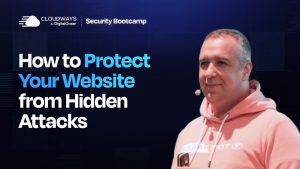
In this powerful session from Day 2 of the Cloudways Security Bootcamp, security expert Kathy breaks down why small business websites are frequent targets for hackers—even if they seem insignificant. She explains the profit motives behind attacks, common vulnerabilities like poor authentication and outdated plugins, and the real risks of shared hosting environments. With a focus on empowerment, Kathy shares actionable tips on securing your site, planning for incident response, and adopting a proactive mindset toward digital safety. A must-watch for small business owners, developers, and agencies looking to protect their online presence.
hey Kathy what’s up hi so glad to be here thanks for inviting me yeah it’s it’s a pleasure having you Kathy I mean obviously it’s not the first time that we have done an event together but every time you’re here it’s it’s absolute pleasure to have you with us uh thank you so Kathy uh I’m sure people over here know who you are and what you have been up to but I would like to take a few seconds to sort of introduce you to our audience so Kathy is a seasoned security consultant she’s a mindset hacker an expert in marketing and personal branding with a background in web development she’s a passion she’s passionate about helping web developers which is why she’s here is solopreneurs and online businesses overcome challenges and Achieve success so uh everything that you know uh that that we want from a guest speaker for this for this for this event I think Kathy has it so Kathy uh absolutely for you to be here uh I would I wouldn’t want the audience to wait more for your session so I would just give you the stage and you know you can take it over awesome well thank you so much for that warm introduction I’m always happy to be here at cloudways security boot camp and any events that you guys do you do a great job just bringing the community together um and I’ll give you a little bit more background on how I got here all of the pain I went through cleaning hacked sites and hacked servers and all of that fun stuff as well but uh before I get started I just want to talk a little bit about sort of my mindset about security and why I do this work um there was a at word Camp us 2019 uh we uh I was working for a security company at that time I was a speaker at word Camp us and one of my co-workers was walking from the event back to his hotel and he came across somebody who really needed help in the street just lying in the street and needed help uh and everybody was he noted that everybody was walking by nobody was stopping to help this person and and my co-worker stopped and and helped and in that conversation I realized that when people are in fear when people are afraid of their sight getting hacked when people are afraid of being out of control or that something else has power over them they aren’t living their best life they aren’t putting their brand out there to the world they’re not being of service they’re not bringing the their full selves and so by helping you understand the power that you have in protecting your site my goal is that you find empowerment to bring your voice your business your brand everything that you’ve got to the world so it’s a little n security but that is my underlying motivation is to give you the tools the power and the knowledge to know that you can protect yourself so with all of that I can then talk about how I got here with security how I got into this space um the company I was working for put out a call for people who could clean hack sites and I had done enough of that I had taken a security class back in the 1990s where they taught me how to spoof emails back when that really could be done and uh I was playing practical jokes on my co-workers I learned a lot about security but I learned about security because I inherited a server that had gotten hacked I had a assumed that it was set up right because all of the technical people had set it up and I figured they had set it up right I made an assumption that everything was okay and everything was not okay so I learned all about security because I was a victim of a hack I want you to learn about security through the stories and the experiences that I and others have had so that you can feel empowered so you don’t have to go through that uh experience of discovering your site’s been hacked or that your server’s been hacked and having to go through incident response you know since that time I’ve helped a number of Fortune 500 companies with incident response I’ve cleaned thousands of hacked sites I’ve been to Defcon so I’ve have all of these security experiences and my goal is to bring them all to you if you want to learn more about me I am at z.com I also have some courses at cathy.com so those are all linked up there on the screen but let’s get talking about you you know a lot of people with small business websites they ask me you know it’s just my my Plumbing business it’s just my blog why is my cat blog being hacked by these hackers I don’t have any audience really I don’t have anything of value it’s important to realize why hackers Target small businesses we’re going to talk about what their motive is so that we can better understand their mindset because if you understand the psychology of a hacker you can understand what they’re doing and why your site is at risk even if you think it is insignificant hackers want your site for a number of reasons and it’s all going to Bo boil down to one thing it’s the profit motive they don’t necessarily even really want your audience they don’t want what content you have on the site necessarily unless you know you’re storing credit card numbers but if you’re using WordPress and woocommerce you’re probably not but they’re after a couple of main things they’re after your server resources so that they can install their malicious scripts they’re after your squeaky clean domain reputation the fact that you have some kind of presence in the search engine result Pages the fact that your domain isn’t being blacklisted they are looking for those things your server and your domain are assets whether you think about them that way or not they are valuable and they’re valuable to you they’re also valuable to hackers they will take things like spam uh spam mailers uh spam links and put those on a squeaky clean site and ruin your reputation they will use your site to install fishing kits so they’ll send out malicious mailings and if somebody clicks on a link it could be going to a hidden page that is on your compromised site and that collects information like credit card numbers passwords and other information from a victim of a fishing attack they will install maware that will redirect any site visitors to a bad part of the internet and maybe install maware on someone’s computer who visits a malicious site with a vulnerable browser and they’re also looking to install back doors because once they get in they know you’re probably going to notice something’s wrong and they want to hide a back door so that they can get back in later all of this leads to one thing hackers profit and now it’s not just you know a guy who’s sitting in the basement targeting your cat blog or your plumbing site they are targeting tons of sites and they use malicious scripts and command and control centers of other hack sites to attack all sites that they can get within their systems now why are they targeting WordPress websites well WordPress is the most prevalent content management system on the Internet it’s powering over 40% of the major sites on the internet so because it is so prevalent because it’s so easy to use because so many people use it they understand the economy of scale they know that if they concentrate their attacks looking for vulnerabilities and looking for ways in with WordPress the number of opportunities they have in order to get into a vulnerable site are much l larger now according to patch stack in their report that they released last week over half a million sites were compromised in 2024 that’s a lot of sites and it’s not all big business sites it’s it’s a lot of small business sites it’s a lot of blogs it’s a lot of content sites it’s brand sites for speakers and coaches all of these sites are a target for hackers and hackers know that they can get into these sites now why do how do they get in well that you can basically boil it down into two camps first of all there is poor authentication either you’re reusing passwords and one of your passwords has been in a breach and so your password has been exposed to malicious attackers um they can brute force a bad password if you’re using your your pet’s name and a couple of numbers they can put that into a database and basically cycle through that and just do numerous requests to your site to see if they can brute force their way in another way that they get in is through stolen authentication cookies so if you have a vulnerable computer and you are logged into your WordPress site these hackers are getting into your devices your cell phone your computer your desktop computer or your laptop and if you have not patched your devices in your computer they can get in with what they call an info stealer and these info Stealers steal whatever they can if you have an authentication cookie a live cookie in your browser they can take that cookie and then use it to basically become you and log into your WordPress site and Thomas Rafe at weat your website has been studying this for a couple of years and has seen the prevalence of it he he watches oh I don’t even know the number now I think it’s like 9 million sites it’s probably more than that now but he does incident response and he started seeing um cases where in log files you would just have this session that was continued at a different IP address it was a stolen session cookie and it is more prevalent than you think think about how you log into your bank now and you go to make a cup of coffee and you come back and you’re logged out already large businesses are realizing that this is a problem and so order to protect you and to protect your assets uh they are making session cookies short duration of how long they stay live and useful shorter and shorter and shorter so this is another way that hackers are getting in they also get in through software vulnerabilities and that would be the plugins on your site uh a theme that might have a vulnerability or even WordPress core now according to patch stack 90 96% of the vulnerabilities they saw in 2024 came from plugins rather than themes and WordPress core so interesting data that they’re finding there all right so what is the risk we just had we just had you know people from pag a session before yeah Oliver telling us that 99.9% of the vulnerabilities came from plugin so that’s a good point that you share as well so yeah yeah it’s a great report you can find it on patch site if you want to look at more statistics about what’s happening with WordPress security so we know that hackers are targeting WordPress but what’s the risk to you as a small business well according to um well the the sour down the on on the slide and if you want my slides there’s going to be a link at the end um that you can see I think it is I can’t remember the I can’t see it right now and I can’t remember who the source is on that particular one but it’s up there um 60% of small companies that are the victim of a breach go out of business within six months so if you are the victim of a breach it has a number of ramifications uh if you are doing Commerce online your credit card company doesn’t like it when the site on which you are collecting orders has a breach you have to notify all of your customers that their information their personally ident identifiable information has been exposed to malicious attackers uh there are a lot of different jurisdictions that have different rules but there’s a lot of risk for your site becoming uh becoming breached and you see it in this number of 60% of small business going out of business within six months um your credit card companies um might shut down your uh credit card processing capabilities and of course all of those breach notifications that you have to do excuse me so there are a lot of uh risks to small businesses so what is a small business to do there’s hackers and there’s all of this risk do you just install a plug-in and block every IP address from every other country except the country you’re doing business in there’s some ramifications to doing something like that I what if you are a public speaker and you want to do speaking in the UK you want to block all of that too or travel the world you want to have your site available to as many people as possible shutting down and limiting access to your site is not the answer here’s the thing according to AT&T there are many rewards to being proactive about security now they did some research and of course they’re selling larger scale security uh Solutions but they had some research that I think points to something that’s important they found that companies that had proactive security had better business outcomes meaning they’re making more money so if they have proactive security policies they had 24% sales growth over three years and 20% profit margins sounds pretty good I’ll tell you my theory in a second the contrast to no active security policies they actually had much lower sales growth and much smaller profit margins uh it’s interesting to me I think that those of us that have proactive policies that think about Security in a way where we take control where we know what we can do in order to protect ourselves where we have incident response plans in place so if something does go wrong we know exactly what to do that we make sure we have security protecting our sites and protecting our computers and our devices that we think about Security in this way my thinking is if you’re thinking about Security in this way you’re also thinking about your business in that way you’re thinking about your business and your business Assets in a way that protects them and grows them so if you are doing that you are set for growth so when your CEO says oh well we don’t need security our site’s fine you can point to these statistics and you can let them know that this has much more ramifications than just protecting the site it has ramifications for how people think about the business and the assets within that business in a much different way we want new results right we don’t want to get hacked so what do we do who’s responsible for security is it your hosting company oh they just handle everything or is it maybe your web developer maybe they’re responsible My Philosophy is in this day and age you think about it security is everybody’s responsibility even your kids are walking around with cell phones and if they’re not patching those cell phones they could be a vulnerability that comes to your home network uh your wife or your husband who has a computer that’s on your network at home and you’re working from home if that’s not protected that could be an intrusion Vector Security is everyone’s responsibility from the CEO down to customer support everyone needs to think about security and if anyone has access to your WordPress site they must consider security and the decisions that they make and how it ramif how it has ramifications for the assets of your business so the first thing we need to do is be prepared and also to to protect our site so incident response planning is not necessarily something people think about they think about oh well I’ll just have somebody else clean it up if something happens but when you go through the process of planning for what happens when not if your site gets hacked what will happen who needs to know about it um what rules will you put in place that say okay we need to shut the site down and get it cleaned up or it can stay up and we’re going to clean up you know take a copy of it clean it up and then swap it out you need to know what you’re going to do because if you know what you’re going to do and you know what it looks like when an intrusion is actually happening here’s what happens you take action you take action faster you have monitoring in place that lets you know that there has been an intrusion and the faster you take action the faster you lock the hacker out the less damage they can do to your domain reputation to your site to to your server the less of a job the cleanup is now I’ve cleaned hacked sites that were actually hacked like six months prior and the person who owned the site didn’t have any indications whatsoever that the site was hacked and it affected their results in the search engine result Pages it affected their customers it affected their business and then the cleanup was so much harder and when it happens like that finding out what went wrong and when is so much harder because typically hosting providers are only keeping 30 days of log files so if something happened six months ago those log files are gone it’s it’s just our best guess of what software vulnerabilities are there or maybe if it looks like it was an intrusion because of a bad password it’s really hard to tell and when it’s hard to tell you don’t get to learn from that experience so having an incident response plan even if you don’t think you’re ever going to get hacked thinking through the process of what you do when you get hacked is going to help you and your business prepare it’s going to help you in your business identify the importance of the asset of your website it’s going to help you think through things in a way that’s going to change how you everyone in your business thinks about security security auditing is also incredibly important how often do you audit your site security I recommend people do it quarterly at least um some people do it once a year it it’s going to depend based on the importance of the asset you know how much you know if the site goes down because of a hack and you are taking in money if it’s supporting people and paying salaries and the site is down you have to figure out you know what is our cost our opportunity cost if we’re not able to take in orders if that’s the case maybe you want to audit monthly now I have a security auditing checklist that I can give you at the end of the presentation I will have a link where you can go get that um but you want to make sure that you’re doing security auditing on a fairly regular basis and that checklist is going to walk you through everything to look at um it will tell you uh it will have you walk through you know evaluating each and every plugin plenty of people just leave plugins on the site even oh well I might use that duplicator plugin even though you’re not using it today does it really need to be there can’t you install it when you need it duplicate your things and how often are you duplicating things some sites you know they do do that but you have each site is different so auditing a site is not something where I can say okay here’s the rules because the asset value is different you’re going to have to do the risk assessment to see what exactly is at stake what exactly needs to be there in order to do the job in order to present the site in the right way and you’re going to have to evaluate everything on a case-by Case basis the the First Security audit is always the hardest because you’re thinking through you know these things but on once you establish a baseline subsequent security audits are always much easier um backing up I tons of people keep their backups on the same server and here’s the thing once the site gets hacked you have to assume that everything that’s there has been exposed to the malicious attacker so you have to assume that all of those backups are possibly affected as well so I highly recommend that you get your backups off server you store them someplace else and I also recommend that people keep one year of backups so if your hosting providers is only keeping 30 days might be good to just backup some of those um those backups or backing up um even log files because I’ve seen cases where a hacker will get in maybe it’s a zero day vulnerability that nobody else knows about and they want to cover their tracks and they will wipe out log files so log files another thing you want to back up off of your server you want to uncover any kind of vulnerabilities if there is a vulnerability in a plugin you want to make sure that you patch before hackers find things now patch stack is doing great work with this because they work with so many different web developers um when I was working at another company they worked with us to do um the managed vulnerability reporting because there’s so many hackers that’ll well hackers um that will go and say oh well we found this vulnerability in your plug-in pay me and so there’s a lot of noise and Patch does really great work in sort of weeding out that noise validating whether there’s a vulnerability or not and of course they protect customers as well so before any anyone knows before the patch is even done patch deck is protecting I think it’s just such a important service that they do for WordPress users and for plug-in and theme developers so I would highly recommend looking into their service because you want to patch your site before hackers know that there is a vulnerability now sometimes there are zero day vulnerabilities that means that a hacker knows that there’s a vulnerability and no one else knows the developer doesn’t know patch stack the security companies nobody knows but the hackers got this juicy little vulnerability these types of things do happen firewalls can help with things like that but it’s important to consider the fact that your website just isn’t you know what you get in a browser there’s so much stuff that is happening behind the scenes there are many different ways to get into your web presence you you have file transfer protocol there’s an FTP access that gives you access directly to the files um there is SSH where you can just on the command line get into files and even your database there’s your hosting panel how many of you when you think about WordPress security think about how important it is to secure the hosting panel and everything that can happen there um there’s of course the wp admin there’s also xmlrpc which is a programmatic way to send information from one site to another there’s the rest API and then there’s something called PHP my admin which is basically a collection of PHP files that give you access into the database the database isn’t just your posts and Pages it’s also all of your users it is salted passwords but they’re in there and at this point it’s pretty easy to unsalt those passwords and figure them out so it’s incredibly important that all of these things are considered when you are looking at the security of your site because a sophisticated hacker uh it’s kind of like somebody who wants to break into a house they go around and they jiggle door handles right but if they come to a house and they’re like no I really want in to this one I think they’ve got the goods they’re going to break a window throw a brick through a window they’re going to do all sorts of things it doesn’t matter if you have a security system they’re going to try to get they’re going to get in they’re going to find a way if they think it is valuable enough so based on how how important your asset is you’re going to secure it in a different way you know the shed in the backyard with the you know lawn mower in it are you that concerned about that you know you get a new lawnmower but your precious metals your jewelry all of the stuff that you have in your house that is incredibly important and so valuable to you you’re going to protect that in a much different way websites are very much the same way that’s why that risk assessment with incident response is so important and I’m just showing what they call the OSI model this is just showing you all of the different layers that go into any application really but a web presence there’s the application layer there is the presentation layer and I’m not going to go through all of this I just want to show you that there’s a lot that goes into all of this um and hackers know this stuff and hackers use this stuff when they are targeting sites so it’s not just like install a plugin and you’re fine you have to consider every aspect of how your site operates so let’s talk a little bit about protecting authentication um your passwords uh I was sitting at a word Camp once and I was helping a woman with something she didn’t understand something with word press and she’s like oh well here’s my password it’s my password for everything the security person in me had to like stifle the scream the existential scream of like oh no please don’t do this I mean I did explain it to her but oh my gosh people still do that um maybe not so much now maybe all of these breaches are starting to teach people not to reuse passwords if you’re reusing a password everywhere that password is at risk you can go to a website called have I been pwned instead of owned it’s there’s a p put in your email address and it’ll tell you how many times your email address has been a breach you can even put in one of your passwords and see if that password has been breached to one of these databases that hackers use when they’re BR forcing you want to make sure that you are using a strong and unique password a different password for everything that you log into now my test sites ah I’ll just wipe those out they’re not an important asset my risk assessment for them is I will just wipe it out and rebuild it it doesn’t matter so maybe I might reuse a password there there’s something else called The Blind password strategy for those people who are not um yet using a password manager because you are afraid of putting all of your passwords in one place and you’re afraid you’re not going to have that mastered password secured enough you can do something that’s called The Blind password strategy that means the password that you store in the password manager isn’t the actual password that you’re logging in with so what you do you have a password in the password manager and it’s a nice long 12 to 16 character thing that you’ll never remember but there’s a four-digit number or set of letters that you always remember you don’t write it down anywhere it’s not in your password manager and so what you’ll do is you’ll copy that password out of the password manager paste it into the site you’re logging into and then type in your four-digit pin number or whatever that’s only in your head and that way if you are scared of using password managers and I know I I do meet people who are afraid to as a password manager because then and there has been a breach uh last pass had a breach that affected all of their password all of their users um and that happened a few years ago so there’s a reason for some people for very important things so again you’re doing a risk assessment with all of your passwords so for your bank account that has the most money in it maybe you want to use a blind password strategy because you just want to lower that risk you’re never going to reduce it to zero um My First Security teacher taught me that the most secure computer is encased in cement and buried six feet underground in your backyard it’s completely unusable so there’s a Continuum of security where you make decisions right so some things you’re going to secure them maybe not bury them in the ground incased in cement but you’re going to secure them close to that but that’s going to affect usability right test sites I type in glass and I’m in right because it doesn’t matter and I want to make it easy so consider that when you’re addressing a password strategy all right two- Factor authentication not something that comes with WordPress core but many security plugins offer it there’s even Standalone security plugins if for example one of your passwords for one of your users is exposed in a breach somewhere I mean you just don’t know it yet two-factor authentication is a code that you’ll type in after you type in your username and password it is a second level of protection not just for you if you have multiple people logging into your WordPress site you need to make some decisions in order to protect your asset of your site by doing that um pass Keys solid security has pass Keys which is a relatively new technology I do have a video on my YouTube uh my YouTube uh Channel if you want to go learn about pass Keys it’s just another method of authentication it is passwordless um it just uses biometric to log in it’s really cool I’m hoping to see more of it in the wild but solid security brings that to Wordpress sorry about that it’s dry here we’re having like a windstorm in Texas and so the air is like super dry it’s affecting me a little I want to talk a a little bit about the principle of leased privilege the principle of leas privilege is a security principle that says you only give access to people for enough that they need in order to do their job so everybody that logs into your WordPress site doesn’t necessarily need to be an admin and you definitely shouldn’t be giving everyone the same username and password to log to Wordpress everybody should have their own login and if somebody is only publishing blog posts they don’t need access to plugins so you want to give them editor access if someone is just a contributor just give them contributor access so always and for everything this isn’t just for WordPress this goes for your accounting system this goes for you know systems Business Systems all stuff if they don’t need access to do their job they don’t get access um it’s really important as a small business that you establish some kind of pro policies and procedures and keep track of what you give access to for every of the individuals that works for you so that when you offboard them you know what down incredibly important I have seen people who are like oh well we don’t they didn’t have the Twitter account did they ah we won’t change it and then their Twitter account gets a angry former employee um post SE it happen um protecting software this isn’t just for WordPress it means means that all of your software if there’s an update update um Max uh uh Apple just put out a security update uh I think within the last seven days um because of a zero day vulnerability that was being exploited in web kit so update your phone update your computer when Chrome says relaunch to up relaunch to update because Chrome has had a number of vulnerabilities as well um your system OS everything all of your applications and if you’re not using software for both software in your computer your phone but also your WordPress dashboard there’s a plugin that you’re just using like the file manager plugin super useful right you’re in the admin let me just go see if that file is there but if that code is not being used regularly don’t leave it on the site don’t deactivate delete that is necessary for the if it’s just a utility don’t just leave it there because it’s convenient you want to make sure you delete it as well as um deactivate it all right protecting your software I have seen so many people who put like four WordPress sites in one Hosting account because like C panel lets them do it uh the worst one I had was 30 sites in one C panel it was an agency and the agency gave every all of his client cents admin access to their sites 30 of them one C panel one breached password on one of those sites where his client had a breached password they logged in and they appended malicious code to every single JavaScript fire file in the entire Hosting account and so all 30 of those sites were maliciously redirecting to malware so all of the people who are visiting any of those sites we had to shut down all 30 sites in order to get it cleaned the clean was pretty easy but it the effects were wide ranging you want to functionally isolate each individual site into its own server based user if you’re using a cpanel type of account remember that c panel is each C panel has its server-based user and just because you do add-on domains doesn’t mean you should one site for each function if you have a learning management site and a Commerce site maybe think about the risks of having all of that on one site um again making sure your backups are off server and just because you’re backing up doesn’t mean it’s really a backup if it doesn’t work trying to restore it so test restoration so you have your backup and just you know set up a staging server and test a restoration of your backup just to make sure that everything’s being backed up what if you know certain image files aren’t being backed up and you do a restore and there’s huge chunks of your site that just aren’t working so test your backups and do that regularly I would do that when you’re doing your security auditing protecting access very important Cloud I’m a huge fan of cloud flare um it’s not just for performance of course they have a CDN but they also have a firewall that filters out a lot of the malicious traffic sort of the background noise of the internet they also have Turn Style which is like CAPA so you can use things like that to help protect against um carding attacks and form spam submissions a carding attack is when hackers have a list of credit card numbers and they’re trying to see which ones are valid which ones are going to go through so they’ll pick out a small Business site without any protection and you’ll just get like a hundred fake orders just to see if those cards will work um it is a huge nuisance for site owners so you know Turn Style is sort of in the back ground and tests to see if something is a real person or not um and firewalls can filter out some of that traffic too and like I said fast detection fast response is going to limit the impact on your asset so you want to do things like scanning for file changes and scanning for malware many hosting providers do this for you um there are some plugins that do this but if you ever do get hacked you cannot trust that the plug-in is going to find the malware because what hackers will do it’ll be like oh look at this security scanning we can they have access right they have access to the PHP that’s doing all of that so they can change those plugins so you have to consider plug-in based malware scanning to be vulnerable and there are I Kelvin elen um from sneo did some research on this and found numerous instances of this happening so you can’t trust those um but you want to monitor what is happening with your site you want to set up any kind kind of intrusion detection if you see logins that shouldn’t be happening those types of things you want to investigate those immediately monitoring your network also incredibly important these are a lot of things that hosting providers are really stepping up and I’m really liking that because I don’t think word press the job of WordPress is to deliver site content to the users um and also help you manage content and things like that but I’m really loving to see so many housting providers like cloudways doing security types of things taking the load off of WordPress so that security is being handled at the at different levels of that OSI model they’re they’re handling it at the network level they’re handling it in many other places so you don’t have to worry about that so when you’re evaluating hosting provider it’s some of the questions you can ask about all the security op um Security Options that they have available in order to not only protect your site but protect their Network as well they don’t want your site hacked either really they because it’s a it’s a huge drain on server resources and they don’t want that either so I love that hosting providers are stepping up for this and again I’ll just mention patch stack they’re doing a great job with virtual patching and like I said they work with the plug-in they get those plugin uh vulnerability reports faster than anyone else so they can write the rules to patch your site it’s like having the inside track so I love the team at Pat check so I’m just going to shout them out again all right so let’s talk about let’s talk about me for a minute if you want that audit checklist you can get it by filling out a little form and subscribing to my newsletter just go to z.com cloudways and that is there um I don’t write that much about security anymore I am much more moving into Consulting with businesses on a much more private scale um but I’m also you know still speaking and stuff like that I do have some security courses available um there’s a WordPress mini course I call it a mini course because it’s really everything that you should know um but I just moved it and it is like 20 modules I’m like maybe it’s not so many there’s a lot of information there I go in much deeper with all of that but I I do highly recommend getting this checklist maybe not everything on the checklist is going to apply to you but it’s a starting point it is the checklist that I developed so that a major security company could have an auditing process and it’s probably the same checklist that they’re using as well and I give you in that checklist the rules that I use for evaluating each of those items so it’s not just like go check to make sure that there’s no you know SSH is turned off maybe you need SSH but if you don’t turn it off you know so I’m teaching you all of those rules I’m teaching my mindset now I’m just going to tell if there’s any agencies watching us Nathan Ingram and I put together a course um that is for novice word you know for agencies agencies you love build building sites for clients and the worst thing in the world is you give access to a client they reuse a password in the site is messed up and you have to like help them so it is a very userfriendly course that anyone can go through it’s only 30 minutes and it’s like just teaches someone who doesn’t want to know what FTP is they just want to know please help me not make bad decisions with the site security so it’s at monsters secure.com and agencies can buy it and and uh it’s a free course anybody can use it but if an agency wants to use a process to track their clients and make sure that they are adhering to your contract that they will you know make good security decisions and Nathan’s got all of that stuff set up I’m just the one teaching the course but he’s got all of the rules that help agencies manage security for the clients so that’s at monsters secure um Nathan’s got his whole monster brand so we did that together so I just wanted to mention that in case any agencies are are on here so I that’s it I’m happy to answer any questions um any comments thank you Kathy I think that was that was extremely insightful I can see a lot of comments in the section and people are finding it you know insightful enlightening we do have questions we do have questions in comment so let’s let’s take this one first uh from Kevin so yeah I’m not yet familiar with Turn Style can you tell me more about that is it a replacement for capture or does it work for forms W Commerce and logins yes um there is a plugin um I can’t remember the name of it a British bloke can I say that because I’m not British but I think British British guy I can’t remember his name even but if you just go into the like plugins and search for Turn Style there you’ll need a cloud flare account but it is it goes behind the scenes you know there’s no like go find all the fire hydrants so that we can train our Overlord drivers um it is uh it it’s behind the scenes and it just detects whether or not someone is human and you can tune that and you can use it for all of your forms you can use it it there’s a WordPress plugin that makes it super easy to use use um that’s as far as I know it is free so um yes you can use Turn Style it is highly effective and if you’re dealing with any of those carding attacks I have seen a lot of chatter about clean Talk um being very effective against carding attacks so I’m just going to throw that out there do your own research I’ve Just Seen chatter all right uh so next up it’s not more of a question but a comment so Carlos says that he never thought about you know the risks of having many WordPress installations in the same C panel but I think you know it’s very evident that you know it’s definitely a risky move if you have so many installations on a single C panel it is I it’s such a painful experience I mean here’s the thing and i’ I’ve done so many security talks and I’ve been in a room at a WordPress Meetup and I felt like I was like it was me against the world because there were all these agency guys that in there and women guys and women who are in there and they’re like all standing up like well we do that all the time and I’m like okay well everyone that you put in there every single one the risk assessment goes up and up and up because if it’s just one site it’s isolated right you clean it up you fix it one client affected whatever you got 30 in there now you have a huge your whole agency all of your clients are now affected so this is I’m this is why security is a mindset I’m trying to teach people to think about their site as an asset each site is an asset and do a risk assessment for all of the decisions that you’re making around that particular site all right so I think the last question in the comments was around how like you mentioned about having backups of server so they asked that what’s the best way to do that uh to have these you know backups off server yeah um I’m not sure if cloudways has how Cloud cloudways handles backups um I know that there are some like I was using spin-off WP and they had a different option for like you can put it in a S3 bucket or you can put it into a Google drive or something like that there’s different tools that will do that for you if there’s an option to take something off server you want to do that um if there’s no option to take it off server then I might create a script or a manual process even to just get those backups backed up off server there there’s numerous you know each hosting environment is so different I can’t tell you exactly how each one would do that but something you want to do um to consider and and not just backing up the site but also backing up log files um and then you know rotating them too and if you’re if you can write a a script we used to do like Pearl scripts and Python scripts to do it all for us I haven’t had to do that in a long time I’m a c I am a coder I just don’t like doing it anymore so all right so I think the last question over here in the comment section is that you know how do you see cyber threats and security measures evolve over time I think that would require a lengthier answer but if you can just briefly describe how has how have these cyber threats and you know security measures changed uh over time over the period of last maybe five 10 years yeah thing I love about security is it’s always changing a cat and- Mouse game sometimes the hackers have the upper hand and things are crazy and most of the time uh you know the people the blue we you call them red team blue team um The Blue Team the people who are doing the protecting those are the people who most of the time have the upper hand but like when I started in security like you could spoof emails there wasn’t protection on emails it was super easy to do it was so much fun to play games on my my co-workers and send them a fake email from the boss to tell to do something and we’d sit in in our Cube and start laughing because there was no authentication at all there was no protections it was so easy that shows how old I am because now it’s really hard to do that right um now they use all kind you know they hack into somebody’s um LMS account and use that account to send out span you know there’s it’s much harder to do that um so it just evolves you know the hackers get an upper hand a vulnerability happens um and hackers get an upper hand for a little bit and it gets so I don’t know that um it’s not getting harder um but I think the risks are higher because there’s so many more people who have so so um like code signing something that word Pros doesn’t yet have is a way to say that the uh that the plugin that you’re downloading into your WP admin is actually code signed that it is there’s actually some kind of check to make sure it did come from the from the plug-in developer so these kinds of supply chain attacks where they breach something within a system and then it affects so many other people so those types of more complex types of attacks happen I think they don’t happen as frequently but they cause more damage so I think you know risks when I first got into it the risks were pretty low who’s on the Internet it’s a bunch of dumb kids like us right and so the risks were lower but the risks are so much higher now because everyone’s online so much of our economy is based on the internet so the risks are so much higher which means that security is everyone’s responsibility because just because Jane in the front office doesn’t know how to do anything in WordPress she but she has a login to go update something because she has to she’s closest to the activity and you want to make her make sure something gets updated on the site she’s still a security risk because if they chain together vulnerability ities and she has just like a contributor account or something much lower that can be escalated with the right kind of vulnerabilities so all right thank you thank you Kathy I think this is it from from from the comments I don’t think we have any more questions and I think this is it from the session as well I would like to thank you Kathy for being here today I know that uh we all know that you’re very busy nowadays with multiple projects and you still made time to be here with this presentation and we could see how you know hard you worked on this presentation and you made sure that you cover each and every point in detail so thank you so much Kathy for uh for being here today it was a pleasure having you as a speaker and I’m sure people listening to this you know learned a few things uh to sort of you know make sure that they protect their online businesses starting today so thank you Kathy any any last words any last thoughts on you on this security Boot Camp or or you know anything that you would like to say to our audience I just want to thank everybody for being here thank you so much for thinking about security thanks to cloudways for organizing this and inviting me because this is I think it’s important because just to remember it’s not it’s not about the tools it’s about you it’s about protecting yourself and protecting your site all right thank you Kathy this was amazing
Answer a few questions, and we'll present you with a personalized tour of the Cloudways platform based on your answers.