If you’ve struggled with hard-to-change themes that need coding, you’re not alone. WordPress 5.9 introduced Block Themes, changing how we design websites. These themes let you easily build and change every part of your site right from the WordPress dashboard.
Block Themes make things much easier. They let you move parts around and change your site’s look without any coding. This blog post will explain what Block Themes are, why they’re great, and how they can make designing your website much better.
In short, Block Themes has made creating websites simpler and more flexible. Whether you’re starting a blog, a business site, or something else, the right Block Theme can help. With these themes, you can control your site’s design and function without being a developer.
What Are Block Themes?

– List of block themes available on the WordPress dashboard.
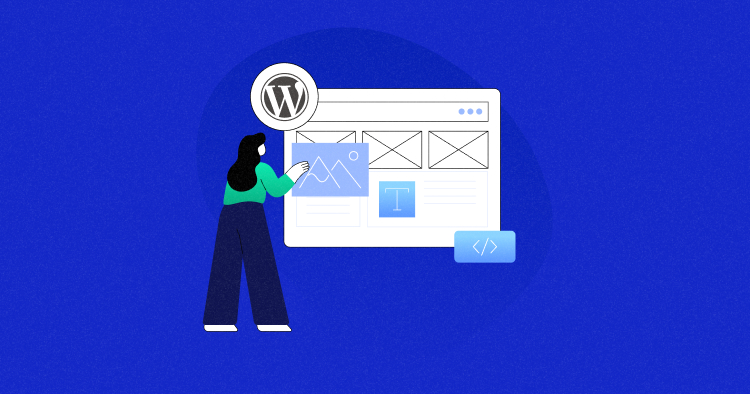
Introduced with WordPress 5.9, block themes are fundamentally different from classic themes because they enable users to edit their site’s entire layout using an array of individual blocks (text, images, or buttons) directly within the Gutenberg interface.
Block themes also support full-site editing. This means you can change headers, footers, and sidebars all in one place. With block themes, you get more control and can create a consistent look across your site. They make web design faster, easier, and more flexible.
– User interface of a WordPress block theme
Classic themes use PHP templates and CSS for layout and style. Block themes move much of the design to the front end with a WYSIWYG approach. This change makes the design process easier and fits with modern web development practices that focus on user experience.
When to Use Block Themes?
Block themes are ideal for users who enjoy building content with the block editor and want full control over all parts of their site. They are particularly useful for those who like to experiment with new features and customize their site’s appearance extensively.
Classic vs. Block Themes
Here’s a quick comparison to help you understand the key differences between classic and block themes.
| Feature | Classic Themes | Block Themes |
|---|---|---|
| Design Method | Predefined templates | Drag-and-drop blocks |
| Customization | Limited without coding | Highly customizable without coding |
| Coding Skills | Often required for major changes | Not required for most changes |
| Flexibility | Limited to theme’s layout | High flexibility in design |
| Full-Site Editing | Not supported | Supported, allowing changes to global elements |
| User-Friendliness | Moderate, may need technical knowledge | High, intuitive for non-technical users |
Key Features of Block Themes
Here’s a quick overview of the key features of block themes:
🛠️ Flexibility: Easily adjust layouts and incorporate design elements directly within the site editor, offering unlimited customization options.
⚡ Performance: Optimized for speed and efficiency, block themes enhance your website’s loading times and overall responsiveness.
👤 User-Friendly: Designed with a simple, intuitive interface, block themes make site building accessible even for those with minimal technical skills.
🌐 Accessibility: Committed to inclusivity, these themes adhere to web accessibility standards, ensuring your website is usable by people with diverse abilities.
Finding the Block Themes
Here’s how you can find, install, and activate a WordPress block theme step by step:
- Log in to your WordPress Dashboard.
- Go to Appearance → Themes and click Add New.
- Click Block Theme in the toolbar and browse the results.
- Click Install on the theme you like and wait for it to finish.
- Click Activate after installation to make the theme live.
- Customize it by going to Appearance → Customize.
– Finding block themes within the WordPress dashboard
List of Block Theme Options
After activating a block theme, several tools and features become available:
- Site Editor: Edit all parts of your site and navigate between templates.
- Styles: Customize your site with different colors, typography, layouts, and more.
- Templates and Template Parts: Create and manage templates and organize groups of blocks for site structure, like headers and footers.
- Theme Blocks: Use blocks like the Navigation Block and Query Loop block to create your site’s desired look and feel.
Best WordPress Block Themes
Here’s a curated list of the best WordPress block themes to improve your web design experience. Please also note that this list is organized by the number of active theme installations.
Twenty Twenty-Five
– Twenty Twenty-Five theme / Source: WordPress.org
Twenty Twenty-Five is a simple and flexible WordPress theme. It works well for blogs, portfolios, magazines, and business sites. The theme has many design options and patterns for different pages. It supports various blog styles, from text-focused to image-heavy layouts.
The theme also supports international typography and different color palettes. It is easy to customize and use. It is accessible and ready for translation. This makes it a great choice for users around the world.
Key Features
- Accessibility ready
- Block editor patterns and styles
- Custom colors and logo
- Featured images
- RTL language support
- Style variations
- Translation ready
- Wide blocks
Stats
- Active installations: 400,000+
- WordPress version: 6.7 or higher
- PHP version: 7.2 or higher
Ratings
5 out of 5 stars (based on 3 reviews)
Pricing
Twenty Twenty-Five is a free theme available for download on WordPress.org.
Blocksy
– Blocksy theme / Source: WordPress.org
Blocksy is a fast and lightweight WordPress theme. It is built with the latest web technologies and works well with the Gutenberg editor. You can use it to create any type of website, such as a business site, shop, blog, or portfolio.
This theme is compatible with popular page builders like Elementor and Beaver Builder. It offers many customization options to make your site unique. With features like custom colors, logos that you can get with contests for logo design, and menus, you can easily design your site.
Key Features
- Fast and lightweight
- Built with Gutenberg editor in mind
- Compatible with Elementor, Beaver Builder, and other page builders
- Responsive and adaptive design
- Translation ready and SEO optimized
- WooCommerce built-in
- Custom colors, logos, and menus
Stats
- Active installations: 200,000+
- WordPress version: 5.2 or higher
- PHP version: 7.0 or higher
Ratings
5 out of 5 stars (based on 847 reviews)
Pricing
Blocksy is free but offers additional paid commercial upgrades or support.
Raft
– Raft theme / Source: WordPress.org
Raft is a lightweight and fast WordPress theme. It is perfect for blogs, small businesses, and online shops. The theme is easy to customize and works well with popular page builders like Elementor and Gutenberg. Raft is also ready for WooCommerce, making it a great choice for e-commerce sites.
Raft supports full-site editing and is responsive, meaning it looks good on all devices. It is also translation-ready, so you can use it in different languages. With Raft, you can create a professional-looking website quickly and easily.
Key Features
- Lightweight and fast
- Full-site editing support
- Compatible with popular page builders (Elementor, Gutenberg)
- WooCommerce ready
- Responsive design
- Translation ready
Stats
- Active installations: 10,000+
- WordPress version: 5.5 or higher
- PHP version: 7.0 or higher
Ratings
4.9 out of 5 stars (based on 42 reviews)
Pricing
Raft is a free theme available for download on WordPress.org.
Neve FSE
– Neve FSE theme / Source: WordPress.org
Neve FSE is a modern and minimalistic WordPress theme. It is designed for full-site editing, making it easy to customize every part of your website. The theme is suitable for blogs, small businesses, startups, agencies, e-commerce shops, and personal portfolios. It offers a range of patterns and style variations to suit different design needs.
It is lightweight and optimized for speed, ensuring your website loads quickly. The theme also supports SEO best practices, helping your site rank higher in search engine results. With its responsive design, Neve FSE looks great on all devices.
Key Features
- Full-site editing compatibility
- Block editor patterns
- Custom colors and logo
- Custom menu
- E-commerce support
- Editor style
- Featured images
- RTL language support
- Sticky post
- Threaded comments
Stats
- Active installations: 10,000+
- WordPress version: 5.5 or higher
- PHP version: 7.0 or higher
Ratings
4.7 out of 5 stars (based on 22 reviews)
Pricing
Neve FSE is a free theme available for download on WordPress.org.
Spectra One
– Spectra One theme / Source: WordPress.org
Spectra One is a modern WordPress theme. It is perfect for blogs, portfolios, and businesses. The theme has a sleek design that makes your website look professional. It is built with the Full Site Editing (FSE) feature, making it versatile and easy to use.
Spectra One supports RTL languages and is translation-ready. It offers various style variations and theme options. This theme helps your website stand out from the crowd.
Key Features
- Full Site Editing (FSE) support
- Sleek and professional design
- RTL language support
- Translation-ready
- Multiple style variations
Stats
- Active installations: 8,000+
- WordPress version: 6.1 or higher
- PHP version: 7.4 or higher
Ratings
4.7 out of 5 stars (based on 22 reviews)
Pricing
Spectra One is a free theme available for download on WordPress.org.
Choosing the Right Block Theme
Choosing the right block theme is important. Here are some key factors to consider:
🎯 Know Your Goals: Think about what you want your site to do. Is it for blogging, selling, or showing your work? Pick a theme that fits your needs.
🔄 Check Compatibility: Make sure the theme works with the latest WordPress version and supports full-site editing. This ensures a smooth experience.
🎨 Design and Flexibility: Choose a theme that looks good and allows easy changes with the Gutenberg editor. Look for themes with many block options.
⭐ Read Reviews: Look at user reviews and ratings. They can tell you how well the theme works and if it’s easy to use.
🛠️ Support and Documentation: Pick a theme with good support and clear instructions. This helps you use all the theme features without problems.
Summary
WordPress has made a big improvement in website design with block themes.
These themes are easy to use because they are built with blocks. You can easily customize your WordPress website without needing to know how to code. There are many different block themes to choose from, so you can find one that fits your style.
Block themes are better than classic themes in most cases. They give you more freedom and make it easier to create a great website. Try using a block theme today and see how easy it is to design your website.
Q1: What are Block Themes in WordPress?
A1: Block Themes are a new type of theme introduced in WordPress 5.9. They are built entirely with blocks, allowing users to edit and customize all parts of their site, including navigation menus, headers, content, and footers, using the Template Editor or Site Editor.
Q2: How do Block Themes differ from Classic Themes?
A2: Block Themes are designed for the newer functionality in WordPress, enabling users to edit all parts of their site with blocks. Classic Themes, on the other hand, rely on PHP templates and features like Widgets, a dedicated Menus section, and the Customizer.
Q3: How can I find Block Themes in the WordPress theme directory?
A3: You can find Block Themes in the WordPress theme directory by selecting “Block Themes” in the toolbar. This filters the themes to show only those with Full Site Editing functionality.
Q4: What happens to widgets in Block Themes?
A4: In Block Themes, traditional widgets are replaced by blocks. This means you can place blocks anywhere you previously used widgets.
Q5: Is the Customizer available in Block Themes?
A5: The Customizer is not available in Block Themes unless activated by a plugin or theme. Instead, changes are made using blocks, such as site title, tagline, and site logo.
Q6: What tools and features are available after activating a Block Theme?
A6: After activating a Block Theme, several tools and features become available, including the Site Editor, Styles, Templates, Template Parts, and Theme Blocks like the Navigation Block and Query Loop block.
Q7: When should I use a Block Theme?
A7: Block Themes are ideal for users who enjoy building content with the block editor and want full control over all parts of their site. They are particularly useful for those who like to experiment with new features and customize their site’s appearance extensively.
Q8: Can I create custom templates with Block Themes?
A8: Yes, you can create custom templates with Block Themes. This allows you to design specific pages, such as an archive page or a 404 page, using block.
Mansoor Ahmed Khan
Been in content marketing since 2014, and I still get a kick out of creating stories that resonate with the target audience and drive results. At Cloudways by DigitalOcean (a leading cloud hosting company, btw!), I lead a dream team of content creators. Together, we brainstorm, write, and churn out awesome content across all the channels: blogs, social media, emails, you name it! You can reach out to me at [email protected].