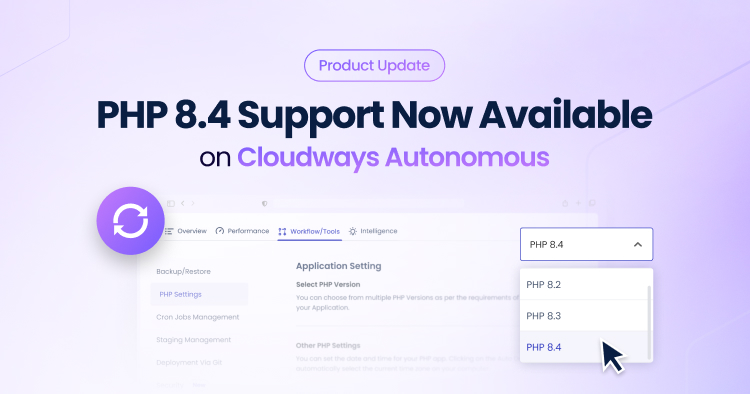
PHP 8.4 is now available for all Cloudways Autonomous users. WordPress (WP) and WooCommerce developers and users can run their applications on the latest PHP version and access new language features, performance improvements, and updated security support.
The upgrade process is handled directly through the platform, which means users do not need to configure the runtime manually or access the server environment.
Why PHP Version Matters for Modern Applications
PHP is the runtime that powers WordPress, WooCommerce, and many modern web applications. The PHP version used by an application can affect execution speed, plugin compatibility, and access to language features used by developers. As the PHP language features evolve, frameworks and plugins often begin to rely on capabilities that are only available in newer versions.
Many websites continue to run on older PHP versions because upgrades often require manual configuration, testing, or direct server access. In traditional hosting environments, upgrading PHP may involve modifying server packages, restarting services, or coordinating changes across multiple applications. These operational steps can slow down upgrades, especially for agencies managing many client sites.
When applications remain on older PHP versions for extended periods, developers may run into several issues:
- Slower execution compared to newer PHP releases
- Compatibility problems with modern plugins or frameworks
- Reduced access to new language features and performance improvements
- Increased difficulty adopting newer development patterns used by modern PHP libraries
By adding PHP 8.4 as a supported runtime, Cloudways Autonomous allows users to move to the latest PHP version directly from the platform without managing the underlying infrastructure or server packages.
The following updates in PHP 8.4 illustrate why many developers may prefer upgrading to the latest PHP runtime.
What PHP 8.4 Brings to Developers
PHP 8.4 introduces several improvements that are designed to help developers write cleaner code and run applications more efficiently.
Some highlights include:
Improved Type System
PHP continues to expand its typing capabilities. The improvements in PHP 8.4 give developers more flexibility when defining types and improve code clarity in larger applications.
Typed Properties and Language Enhancements
The language continues to refine how properties and types are defined, which helps teams maintain consistent codebases and reduce runtime errors.
Performance Improvements
Each PHP release also improves the runtime engine, which helps developers run modern frameworks and applications more efficiently.
Compatibility with Modern Ecosystems
New WordPress plugins, themes, and frameworks often adopt newer PHP features. Running the latest PHP version helps support compatibility with these updates.
For developers working with WordPress or WooCommerce, access to newer PHP versions also makes it easier to adopt modern development practices.
PHP 8.4 on Cloudways Autonomous
Cloudways Autonomous manages the underlying infrastructure and runtime environment so users can focus on their applications instead of server administration tasks. The platform handles the configuration required to run supported PHP versions, which helps minimize the need for manual package management or server-level changes.
With PHP 8.4 support, users can:
- Run applications on the latest PHP version
- Switch PHP versions directly from the platform interface
- Test upgrades and validate plugin or theme compatibility
- Maintain compatibility with older PHP versions when required
All previously supported PHP versions remain available on Autonomous. This allows teams to upgrade when they are ready rather than forcing an immediate transition. Agencies and developers can test upgrades on their applications first and move production workloads to PHP 8.4 once compatibility is confirmed.
What Developers Should Check Before Upgrading to PHP 8.4
PHP 8.4 comes with new language updates and runtime improvements. Before switching an application to a newer PHP version, it helps to confirm that the application stack supports it. A short compatibility review can help reduce the likelihood of unexpected behavior after the upgrade.
For most WordPress and WooCommerce applications, the upgrade process is straightforward. However, developers and agencies managing production sites should review a few areas before changing the PHP version.
Verify WordPress and Plugin Compatibility
The first step is to confirm that the application and its plugins support the newer PHP version.
Most actively maintained WordPress plugins and themes follow updates to the PHP language. Plugin developers often publish compatibility notes that indicate the PHP versions they support.
Check the following before upgrading:
- The WordPress core version running on the application
- Compatibility notes from installed plugins
- Theme documentation or release notes
Updating plugins and themes to their latest versions can help avoid compatibility warnings after switching the PHP runtime.
Review Custom Code
Many applications include custom plugins, themes, or integrations written by developers. If custom PHP code is present, it is worth reviewing it for compatibility with the newer runtime.
Developers should check for:
- Deprecated functions that may trigger warnings
- Type declarations that rely on older PHP patterns
- Third-party libraries that require updates
In most cases, modern PHP frameworks and libraries already support newer PHP versions. Updating dependencies before upgrading the runtime can help keep the application stable.
Test the Upgrade in a Staging Environment
When managing client sites or production applications, it helps to test the new PHP version before fully committing to the change.
Developers often perform quick validation checks such as:
- Loading key pages of the site
- Testing checkout flows for WooCommerce stores
- Submitting forms or running login flows
These checks help confirm that the application behaves as expected after the PHP version change.
Confirm Plugin and Theme Updates
Some compatibility issues arise when plugins or themes have not been updated for long periods. If an application includes older extensions, it may help to review their maintenance status. If an extension has not received updates recently, developers may want to:
- Look for a maintained alternative
- Check the developer’s documentation for supported PHP versions
- Update the extension before upgrading PHP
Keeping extensions updated helps maintain compatibility with newer PHP releases and the broader WordPress ecosystem.
Upgrading to PHP 8.4
Upgrading to PHP 8.4 on Cloudways Autonomous is handled through the platform.
To change the PHP version:
- Log in to the Cloudways Platform
- Open your Application.
- Go to the Workflow/Tools tab
- Go to the PHP Settings section.
- Select PHP 8.4 and apply the change

The process updates the PHP runtime while keeping the existing application configuration intact. If needed, users can revert to a previously supported PHP version.
This approach allows teams to test application compatibility before fully adopting the new version.
Moving to PHP 8.4 on Cloudways Autonomous
Once compatibility checks are complete, upgrading to PHP 8.4 on Cloudways Autonomous takes only a few steps through the platform.
Users can switch the PHP version and test their applications on the updated runtime. Since previously supported PHP versions remain available, teams can revert the version if additional testing is needed.
For most modern WordPress and WooCommerce applications, moving to a newer PHP version helps maintain compatibility with the evolving plugin ecosystem while giving developers access to the latest improvements in the language.
Availability and Pricing
PHP 8.4 support is available for all Cloudways Autonomous plans. There is no additional cost** to enable PHP 8.4. Users can upgrade their applications through the platform when they are ready.
Start Using PHP 8.4 on Cloudways Autonomous
Developers and agencies often want access to new PHP versions without managing upgrades manually.
PHP 8.4 is now available for all Cloudways Autonomous applications. For most modern WordPress and WooCommerce applications, moving to a newer PHP version goes a long way in maintaining compatibility with the evolving plugin ecosystem while giving developers access to the latest improvements in the language.
DISCLAIMER: Any references to third-party companies, trademarks, or logos in this document (including WordPress and WooCommerce) are for informational purposes only and do not imply any affiliation with, sponsorship by, or endorsement of those third parties.
**: subject to applicable plan terms and conditions
Zafar Iqbal
Zafar Iqbal is a Senior Technical Writer who's spent the last decade making server products, WordPress, and SaaS platforms actually make sense to people. As someone who lives at the intersection of tech and marketing, he loves turning complicated technical concepts into insights that help people make the right business decisions. When he's not demystifying managed hosting infrastructure, he's tinkering with his hobby projects.