Infrastructure is the foundation of every website and application. It is responsible for uptime, performance, security, and scalability. When infrastructure fails, businesses lose traffic, revenue, and customer trust.
While many discussions about AI focus on content generation, chatbots, or creative tools, a quieter transformation is beginning to take shape behind the scenes. Increasingly, AI is being applied to the operational infrastructure that powers websites, applications, and digital services.
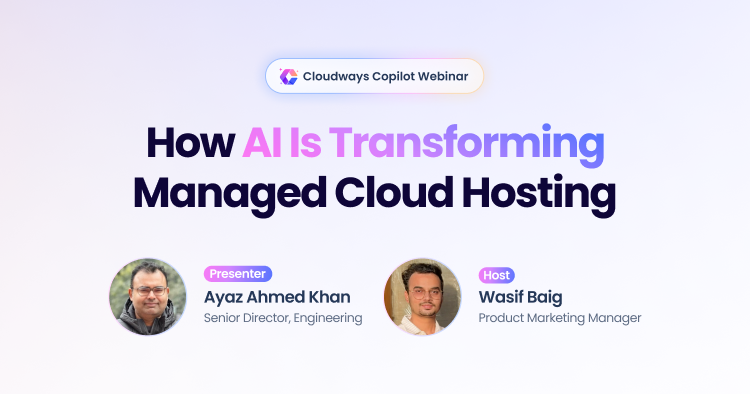
That reality was the focus of a recent Cloudways webinar hosted by Wasif Baig, Product Marketing Manager at Cloudways, and Ayaz Ahmed Khan, Senior Director Engineering and the architect behind Cloudways AI initiatives.
The session explored how AI, more specifically Cloudways Copilot, can move beyond surface-level applications and start solving real operational problems for developers, agencies, and businesses running production workloads.
- Cloudways Copilot: A True SRE Tool
- The Speed of AI: Manual Triage vs. Copilot
- The Question of Accuracy
- Addressing the “Burning Misconceptions”
- Current Capabilities and Use Cases
- The Road Map: What’s Next?
- Special Offer: Get Started with Cloudways Copilot for Free
- Getting Started with Cloudways Copilot
A key point highlighted in the webinar was the positioning of Cloudways Copilot and the 24/7 expert human support. Copilot is built to handle repetitive and “commonplace” issues in server management. These are roadbumps that hamper your operations but are straightforward in the resolution. On the other hand, Cloudways expert human support is better used for complex, “one-off” issues that require expert understanding of the Cloudways infrastructure and components.
Instead of using AI primarily for content generation or site building, Cloudways is focusing on how AI can assist with server reliability, troubleshooting, and infrastructure diagnostics. These are the tasks that often consume a large portion of a developer’s time once an application is live and serving users.
The webinar introduced Cloudways Copilot, an AI-powered system designed to investigate infrastructure alerts, analyze server behavior, and help users identify the root cause of operational issues.
The objective is simple: reduce the time spent diagnosing problems so teams can focus more on building, scaling, and improving their applications.
What Is “Vertical AI” in Hosting?
During the webinar, Ayaz explained why Cloudways chose a different path from many AI initiatives in the hosting industry.
Much of the current AI landscape focuses on tools that are easy to implement and immediately visible to users. Examples include content generators, image creation tools, and AI-driven website builders. These products use generative AI to produce output from prompts, which can be valuable during the early stages of creating a website.
However, these use cases usually address a one-time activity: building something new.
The challenges that developers and agencies face often appear later, once a site is live and traffic starts growing. At that stage, infrastructure reliability becomes the primary concern.
Servers may experience:
- Traffic spikes
- Resource constraints
- Configuration issues
- Unexpected downtime
- Performance degradation
Diagnosing these problems often requires technical expertise and time-consuming investigation.
This is where Site Reliability Engineering (SRE) comes in. SRE focuses on maintaining system stability, availability, and performance at scale through automation, monitoring, and operational best practices.
Behind the scenes, many of the responsibilities associated with modern hosting platforms align closely with SRE principles. Reliability engineers rely heavily on infrastructure telemetry, particularly logs, metrics, and traces, to understand system health and identify potential failures before they escalate.
Cloudways identified this operational layer as an area where AI could deliver meaningful value.
Over the years, the Cloudways team has accumulated extensive experience solving real infrastructure issues through customer support and engineering work. Engineers and support specialists have handled countless tickets involving server failures, performance issues, and troubleshooting requests.
That experience produced what Ayaz referred to as tribal knowledge. It includes patterns that engineers recognize when diagnosing issues and the steps typically used to resolve them.
Cloudways Copilot uses this accumulated knowledge as the basis for its investigative workflows. Instead of simply responding to prompts, the system applies these learned troubleshooting patterns to analyze server alerts and determine what may have gone wrong.
In many ways, the goal is to extend the benefits of SRE practices to developers and agencies who may not have dedicated reliability engineering teams.
Cloudways Copilot: A True SRE Tool
Cloudways Copilot is designed as an AI assistant that operates alongside the platform’s monitoring systems.
Cloudways servers are continuously monitored for signals that indicate potential issues. These signals can include unusual load patterns, service interruptions, resource exhaustion, or configuration problems.
When a monitoring rule detects a problem, it generates an alert.
Traditionally, alerts only informed users that something might be wrong without providing enough context to understand the cause. Developers still had to investigate logs, inspect system metrics, and analyze application behavior to determine what happened.
This is a common challenge in infrastructure monitoring. Alerts are designed to detect anomalies, but they rarely explain why an issue occurred. Engineers must manually perform root cause analysis by examining logs, reviewing performance metrics, and correlating signals across multiple systems.
Copilot changes this workflow.
Instead of stopping at the alert stage, the system begins an automated investigation designed to answer three questions:
- What exactly happened on the server?
- What caused the issue?
- What steps can resolve it?
To accomplish this, Copilot currently performs three primary functions.
Investigation
Once triggered by a monitoring alert, Copilot begins analyzing system data related to the incident. This includes examining signals from the infrastructure environment to determine what conditions led to the alert.
This investigative process draws on infrastructure telemetry such as server metrics, service logs, performance indicators, and configuration signals.
Root Cause Analysis
After reviewing the available information, Copilot identifies the likely cause of the issue and presents a detailed explanation of what happened. This analysis provides context that developers can use to understand the problem more quickly.
Instead of manually piecing together information from multiple dashboards and monitoring tools, users receive a structured explanation that highlights the most likely source of the issue.
Smart Fix
In supported scenarios, Copilot also offers a Smart Fix option. This feature allows users to apply predefined remediation steps that address the detected issue.
In some cases, AI systems may also recommend configuration adjustments or infrastructure changes that could resolve the detected problem.
These remediation actions are not generated randomly by the AI. Instead, they are based on playbooks created by engineers who understand how to safely resolve specific problems within the Cloudways environment.
Users can review the recommended fix before applying it.
This approach combines AI-driven analysis with controlled remediation steps designed to reduce risk while improving response times.
The most exciting aspect of Smart Fix is the time saved during the diagnosis and resolution in a couple of clicks. Once you allow Copilot to apply the proposed resolution, the time taken to apply all steps in the solution is very impressive.
The Speed of AI: Manual Triage vs. Copilot
One of the key benefits discussed during the webinar was the difference between traditional troubleshooting workflows and automated investigation.
When a server problem occurs, the resolution process typically involves several stages. Each stage takes time and often requires technical expertise.
A common troubleshooting workflow may look like this:
- A user notices that a website is slow or unavailable.
- The issue is reported to a developer or operations team.
- Engineers begin reviewing logs and system metrics.
- Potential causes are tested and ruled out.
- A fix is implemented and monitored.
Even experienced engineers can spend a significant amount of time identifying the root cause before they can apply a solution.
Copilot aims to reduce the time spent in the investigation phase by analyzing alerts immediately after they occur.
The difference can be summarized as follows:
| Manual Triage | Cloudways Copilot | |
|---|---|---|
| Detection | Users report issues | Monitoring triggers alerts |
| Investigation | Engineers manually review logs | Copilot begins investigation immediately |
| Diagnosis | Engineers analyze signals | Copilot provides root-cause explanation |
| Resolution | Engineers test fixes | Smart Fix offers remediation in one-click |
| Time to Resolution | Can take hours | Can take minutes |
By starting the analysis earlier, Copilot helps users move more quickly from detection to understanding the issue. This is a critical operational benefit because a typical manual diagnosis and issue resolution cycle can take hours. Cloudways Copilot cuts this down to mere minutes, with a Mean Time to Resolution (MTR) saving of 70-80% in most cases.
For developers managing multiple client environments, even small reductions in investigation time can translate into significant operational efficiency.
Here is what a customer shared with us when we asked about their Copilot experience:
“On two separate occasions, Cloudways Copilot successfully resolved critical server emergencies without any intervention from our development team. What stood out most was the tool’s transparent workflow: it provided a clear analysis of the problem and proposed a solution, but strictly waited for my authorization before executing any changes. Beyond just a quick fix, it even identified a long-term code adjustment to prevent the issue from recurring. Having the AI pause for my input at every stage gave me total confidence in the process.”
The Question of Accuracy
Like every AI-powered product, the question of accuracy is often posed in AI-powered SRE operations. When it comes to business-critical websites and applications, this becomes very important because of the direct impact on revenue and responsiveness.
As Ayaz mentioned, during the Public Preview, Copilot processed 13,000+ automated insights. We found that Copilot has a +90% accuracy rate, a huge win for our SRE initiatives.
Addressing the “Burning Misconceptions”
Whenever AI tools interact with infrastructure, developers naturally have questions about control, safety, and the role of human engineers.
The webinar addressed several of these concerns directly.
AI Is Not Replacing Human Support
Copilot is not intended to replace technical support teams or experienced engineers.
Instead, it focuses on repetitive troubleshooting tasks that appear frequently across servers. These routine investigations often follow predictable patterns and can be automated effectively.
Human engineers remain essential for solving complex issues that require deeper analysis or creative solutions.
The goal is to allow engineers to spend less time on repetitive diagnostics and more time on advanced problem solving.
Controlled Access and Security
Another common concern is whether AI tools operate with unrestricted access to servers.
Cloudways designed Copilot with strict access controls based on the principle of least privilege. This means the system only receives the permissions necessary to perform investigations.
It does not have unrestricted root access to the entire server environment.
Deterministic Fixes
The Smart Fix feature is also designed to avoid uncontrolled actions.
Some users worry that clicking a fix button might allow AI to modify the server environment unpredictably.
In reality, Smart Fix actions run predefined operational playbooks created and validated by engineers. The AI identifies the scenario and recommends the relevant fix, but the actual execution follows a controlled script.
Users must also confirm the action before it runs.
This layered approach helps maintain security while still enabling automation.
Current Capabilities and Use Cases
At this stage, Cloudways Copilot primarily focuses on server-level infrastructure issues.
These are some of the most common problems that affect hosting environments and can lead to downtime or degraded performance.
The initial set of supported scenarios includes several categories.
Web Stack Malfunctions
Web applications depend on multiple server components such as web servers, database services, and application runtimes.
If one of these services becomes misconfigured, overloaded, or stops responding, the entire application may be affected.
Copilot can investigate alerts related to these components and identify potential causes.
Disk Space and Inode Issues
Storage limitations are another frequent cause of server instability.
Servers may run out of disk space or reach inode limits when too many files accumulate. These issues can take time to diagnose because administrators must identify which directories or processes are consuming resources.
Copilot analyzes storage usage and highlights the files or directories responsible for the problem, along with suggestions for freeing space.
Traffic Spikes and Host Responsiveness
Unexpected traffic surges or automated bot traffic can place heavy load on a server.
When this happens, the server may become slow or temporarily unresponsive.
Copilot investigates the signals associated with these events to help determine whether traffic levels, background processes, or other factors contributed to the issue.
Managed Backup Failures
Cloudways provides managed backups for servers and applications. These backups are critical for disaster recovery.
However, backups can sometimes fail due to resource constraints, insufficient disk space, or conflicts with other processes.
Copilot analyzes backup failures and identifies what caused the interruption, allowing users to correct the underlying issue.
These use cases represent the first set of scenarios Copilot supports today, and the coverage will expand as the system incorporates additional troubleshooting patterns.
The Road Map: What’s Next?
Cloudways plans to continue expanding Copilot’s capabilities as part of a broader strategy to improve infrastructure automation.
According to Ayaz, the development roadmap focuses on three main areas.
Expanded Server-Level Coverage
The first priority is increasing the number of server issues that Copilot can investigate.
The more scenarios the system understands, the more frequently it can assist users when problems arise.
Application-Level Debugging
Historically, Cloudways support has focused mainly on infrastructure-level issues.
Future versions of Copilot aim to expand into application-level troubleshooting, including common problems within platforms such as WordPress or PHP applications.
On-Demand Investigations
Currently, Copilot investigations begin when monitoring systems detect an issue.
In the future, Cloudways plans to introduce the ability for users to manually trigger investigations even if no alert has been generated.
This would allow developers to request an analysis whenever they suspect something may be wrong with a server or application.
Special Offer: Get Started with Cloudways Copilot for Free
To help users experience the power of Cloudways Copilot firsthand, Wasif Baig announced an exclusive promotional offer for the Starter tier of Cloudways Copilot. Whether you are a new or existing customer, you can currently access these SRE capabilities at no additional cost:
5 AI Insight Credits: Every month, receive five automated diagnostic reports that pinpoint the root cause of server issues.
2 Free Smart Fix: Each month for the first 12 months, you can use two “One-Click” resolutions to fix detected problems automatically.
This promotional starter package is available for free, allowing agencies and developers to reclaim their time without an upfront investment. New customers will see this enabled by default. Existing customers can simply reach out to the Cloudways support team to have the Copilot added to their account.
Getting Started with Cloudways Copilot
Cloudways Copilot represents an early step toward integrating AI directly into infrastructure operations.
Instead of focusing on AI as a tool for building websites or generating content, the Cloudways approach focuses on operational reliability.
By combining monitoring systems, investigative analysis, and controlled remediation steps, Copilot aims to help developers understand and resolve server issues more efficiently.
For developers and agencies managing production environments, that kind of assistance could significantly reduce the time spent troubleshooting servers and help teams focus on building and scaling their applications.
View the full webinar recording on the Cloudways YouTube channel.
Frequently Asked Questions
How to access Copilot?
For new Cloudways customers, the Copilot Starter tier is enabled by default, so you can start using AI insights and Smart Fix capabilities immediately after setting up your account.
If you are an existing Cloudways customer, you can access the Copilot Starter tier by contacting the Cloudways support team and requesting Copilot to be enabled on your account.
Does Cloudways Copilot have full root access to my server?
No. To maintain security, Copilot is designed with strict access controls based on the principle of least privilege. It only has the permissions necessary to perform investigations and does not have unrestricted root access to your entire environment.
Will Cloudways Copilot change my server settings without telling me?
No. Copilot is built to be transparent and controlled. When a “Smart Fix” is available, the AI proposes the solution and waits for your explicit authorization before any changes are executed.
What is the difference between an “AI Insight” and a “Smart Fix”?
An AI Insight is a diagnostic report triggered by a monitoring alert that explains the root cause of a server issue. A Smart Fix is the next step—a predefined remediation playbook that you can apply with one click to resolve the detected problem.
Can I use Copilot to debug my WordPress theme or a specific PHP error?
Currently, Copilot focuses on server-level infrastructure (like web stack malfunctions, disk space, and backups). However, the roadmap includes expanding into application-level troubleshooting for platforms like WordPress and PHP in the future.
Is this tool meant to replace the Cloudways human support team?
No. Copilot is designed to handle repetitive, predictable troubleshooting tasks. Human engineers remain essential for complex, unique issues that require creative problem-solving or deeper manual analysis.
How does Copilot know how to fix my specific server issue?
It uses troubleshooting patterns and “playbooks” developed by Cloudways engineers over years of solving real-world support tickets. It matches the current server signals against these validated engineering patterns.
Zafar Iqbal
Zafar Iqbal is a Senior Technical Writer who's spent the last decade making server products, WordPress, and SaaS platforms actually make sense to people. As someone who lives at the intersection of tech and marketing, he loves turning complicated technical concepts into insights that help people make the right business decisions. When he's not demystifying managed hosting infrastructure, he's tinkering with his hobby projects.